
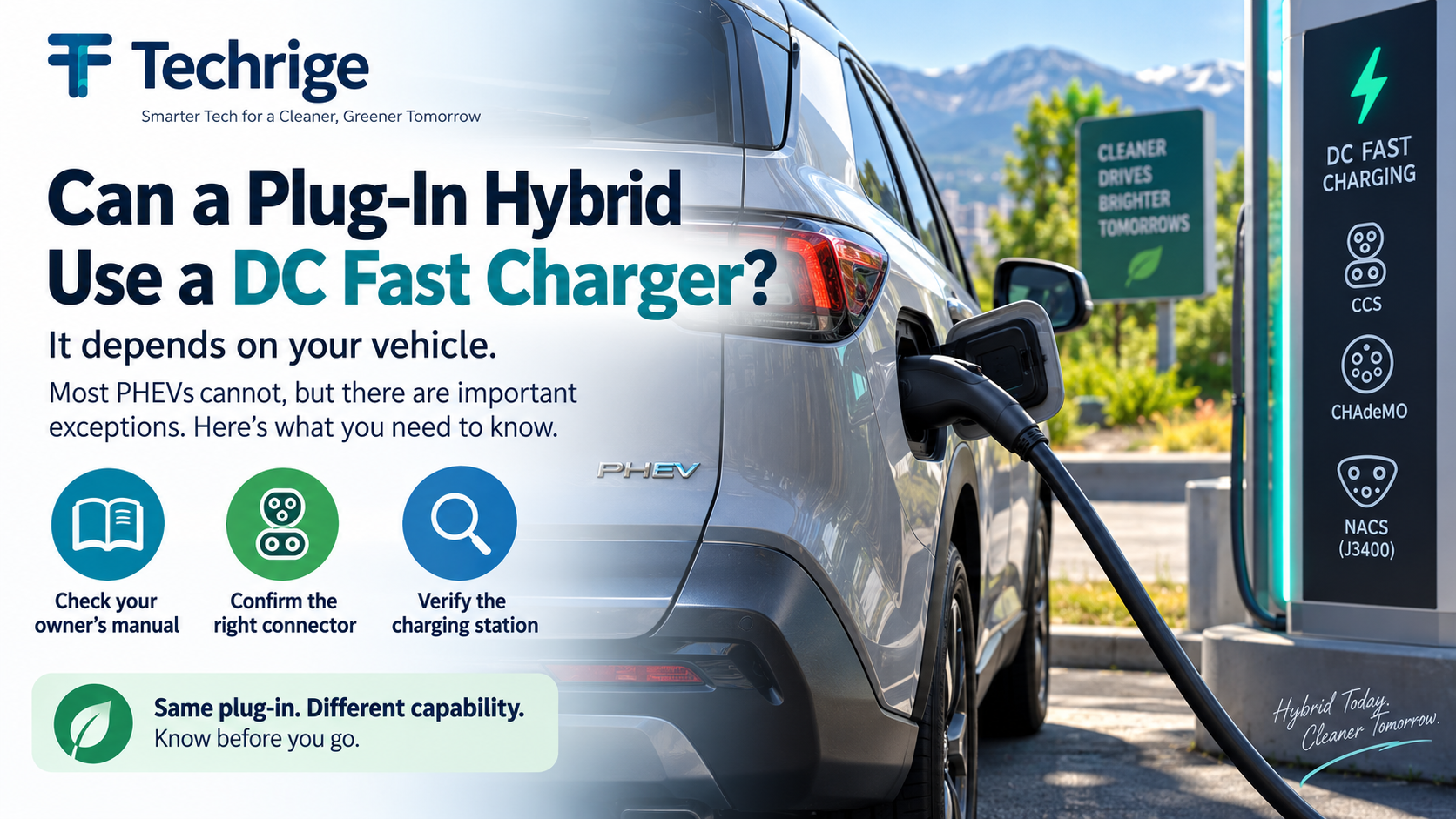
Can a plug-in hybrid use a DC fast charger?
Usually, no. The U.S. Department of Energy says that most plug-in hybrid electric vehicles (PHEVs) cannot charge using DC fast chargingBut “most” does not mean “all.” A small number of PHEVs have DC fast-charging capability, and that capability can depend on the precise model year and trim.
For a reliable answer, do not rely on the PHEV badge, a photo of a charging port, or an adapter listing. Confirm what your exact vehicle supports in its owner’s manual and manufacturer documentation, then check whether an available station has the right connector.
This matters before a road trip. A driver who assumes every plug-in vehicle can use a DC fast charger may arrive at a station that their vehicle cannot use. Conversely, a driver with one of the exceptions may miss a useful charging option by assuming that no PHEV can fast charge.
Why PHEV DC fast-charging compatibility varies
A plug-in hybrid combines a rechargeable battery and electric drive capability with a gasoline engine. That does not, by itself, establish how it can accept electricity from public chargers.
Charging capability is determined by the vehicle’s design. In practical terms, these details need to match:
- The charging method supported by the vehicle
- The vehicle’s charge inlet
- The connector provided by the charging station
- The vehicle’s onboard charging and battery-management systems
- Any manufacturer requirements for adapters or charging equipment
- The exact model year and trim or grade
Public DC fast charging in the United States may use CCS, CHAdeMO, or J3400/NACS. The U.S. Department of Energy advises drivers to verify that a station’s connector is compatible with their vehicle before charging. See its guide to electric vehicle charging stations and connector types.
A PHEV that supports only Level 1 and Level 2 charging is not made DC-fast-charge capable merely because a nearby station has a convenient location, an available plug, or a connector that appears similar to the vehicle’s inlet.
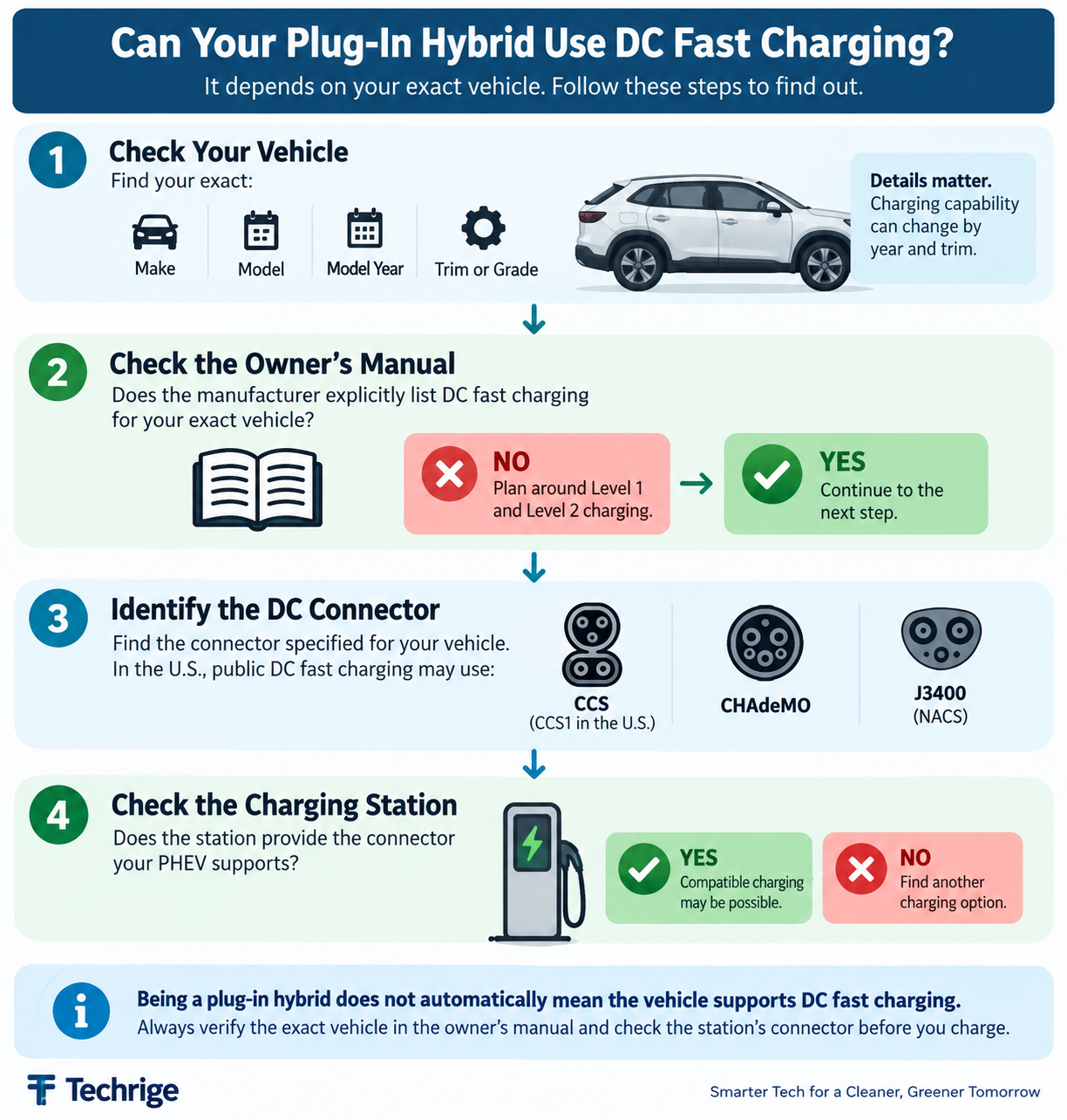
Start with the owner’s manual, not the charging map
A charging map is useful for finding stations, but it is not the first compatibility check. Start with the documents for your vehicle.
Look up your exact year, trim, and drivetrain. Then find the sections that describe charging, public charging, charge ports, and approved equipment. Your goal is to answer these questions:
- Does the vehicle explicitly support DC fast charging?
- Which charging connector does it use?
- Does DC capability vary by trim or grade?
- Are there limits on charging power or operating conditions?
- Does the manufacturer approve any adapters?
- Are there special charging instructions or restrictions?
If the manual or official specifications describe only Level 1 and Level 2 charging, plan your trip on that basis. Do not test a DC fast charger simply to see whether it works.
When documentation is unclear, contact the manufacturer or a dealer with the vehicle identification details and ask a narrow question: “Does this exact model year and trim support DC fast charging, and if so, which connector is specified?”
A dealer’s general sales description may be less precise than the owner’s manual or current manufacturer specifications for the exact vehicle.
Inspect the port—but treat it as a cross-check
After checking the documentation, inspect the vehicle’s charge inlet. This can help you compare the vehicle with a station listing, but it should confirm the manual rather than replace it.
For example, a port designed for AC Level 1 and Level 2 charging may not have the additional connections required for DC charging. At a public station, a connector may look related to your vehicle’s inlet without actually being compatible for a DC session.
Use this approach:
- Verify DC charging capability in official vehicle documentation.
- Identify the connector specified by the manufacturer.
- Inspect the vehicle’s charging inlet.
- Compare it with the connector listed at the charging station.
- Verify any adapter requirements before attempting to connect.
This sequence reduces guesswork. It also avoids treating physical resemblance as technical confirmation.
Two current examples: exceptions are specific, not universal
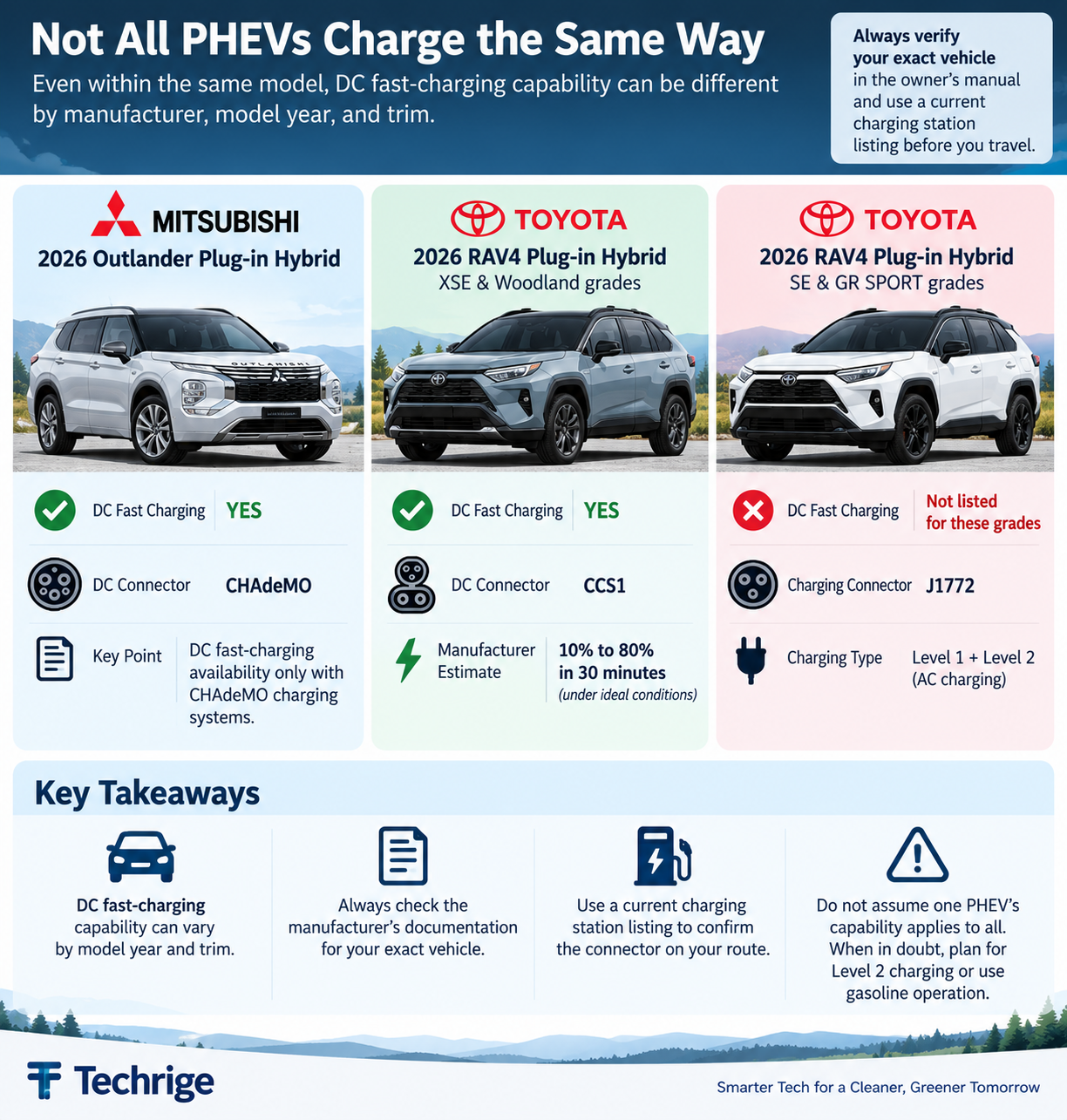
Manufacturer examples show why a broad rule such as “PHEVs cannot fast charge” is incomplete—and why it is risky to assume that one PHEV’s capability applies to another.
2026 Mitsubishi Outlander Plug-in Hybrid: CHAdeMO for DC fast charging
Mitsubishi says the 2026 Outlander Plug-in Hybrid has DC fast-charging availability only with CHAdeMO charging systems.
That is a clear example of a PHEV with manufacturer-described DC charging capability, but it is also connector-specific.
For a driver of this vehicle, the practical question is not simply, “Is there a fast charger on the route?” It is, “Is there a CHAdeMO-equipped station where I need it, and is the station information current?”
A station offering another DC connector does not necessarily meet that requirement.
This example should not be used to infer DC fast-charging support for every Outlander Plug-in Hybrid model year. Verify the documentation for the vehicle you own or plan to drive.
Selected 2026 Toyota RAV4 Plug-in Hybrid grades: CCS1 capability
Toyota states that the 2026 RAV4 Plug-in Hybrid XSE and Woodland grades have CCS1 charging ports with DC fast-charging capability.
Toyota says these versions can charge from approximately 10% to 80% in 30 minutes under ideal conditions.
The same manufacturer information says the SE and GR SPORT Plug-in Hybrid grades use J1772 ports for Level 1 and Level 2 charging rather than receiving the same DC fast-charging capability.
That contrast is particularly useful for trip planning: even within one PHEV model and one model year, charging capability can differ by grade.
A driver should therefore verify the exact grade rather than searching for “RAV4 Plug-in Hybrid fast charging” and assuming the result applies to every version.
Product information, connector availability, and charging-network access can change. Before travel, confirm the exact vehicle details and use a current station listing to check the connector at the locations you expect to use.
What an adapter does—and does not—prove
Adapters can create confusion because they may change the physical connection between two pieces of equipment. A physical connection alone does not prove that the vehicle supports the charging method being offered.
In particular, do not assume an adapter can add DC fast-charging capability to a PHEV that the manufacturer specifies for Level 1 and Level 2 charging only.
The vehicle, charging equipment, connector arrangement, and adapter all need to support the charging method.
Before using an adapter with public charging equipment, verify through manufacturer-provided information:
- The vehicle supports the charging method
- The adapter is approved for that vehicle
- The charging connector is supported
- The charging station permits the adapter
- The adapter’s power and voltage ratings are appropriate
- There are no manufacturer warnings or restrictions affecting that combination
If you cannot verify those points, choose a compatible Level 2 option or continue using gasoline operation where appropriate for your PHEV. That is more dependable than experimenting at a busy DC fast-charging site.
A practical pre-trip compatibility checklist
Use this checklist before building a route around public DC fast charging.
1. Identify the vehicle precisely
Write down the make, model, model year, and trim or grade. Do not substitute a similar vehicle, different production year, or online forum description.
2. Verify the supported charging types
Read the owner’s manual and official manufacturer specifications. Determine whether the vehicle supports:
- Level 1 AC charging
- Level 2 AC charging
- DC fast charging
- Any manufacturer-approved adapter configurations
If DC charging is not explicitly listed, do not make a DC fast charger central to the trip plan.
3. Match the station connector to the documented connector
Filter your charging map for the connector specified for your vehicle.
In the U.S., DC fast-charging station listings may identify CCS, CHAdeMO, or J3400/NACS connectors. Confirm the individual station rather than assuming every DC fast-charging location provides every connector type.
The Department of Energy's Alternative Fueling Station Locator can also help drivers search for charging locations and connector types.
4. Recheck station details shortly before departure
Connector availability and network access are not guaranteed. Check the station’s current information, including its connector listing and operational status, before you leave and again if your plan changes en route.
5. Bring a fallback plan
A useful fallback plan may include:
- A Level 2 charging stop
- Charging at your destination
- Another compatible DC charging location if your PHEV supports DCFC
- Continuing with gasoline operation if your PHEV has fuel available
The best option depends on your route, time, battery level, and vehicle documentation.
6. Do not let an adapter override the manual
If an adapter appears to make a station plug fit, stop and confirm that the manufacturer supports that exact charging configuration.
Physical fit is not proof of DC fast-charging compatibility.
Bottom line
Most PHEVs cannot use DC fast chargers, but there are important vehicle-specific exceptions.
The correct answer depends on the exact model year, trim, charging port, connector, and manufacturer specifications—not simply on the fact that the vehicle is a plug-in hybrid.
Before planning a public fast-charging stop:
- Confirm that your PHEV explicitly supports DC fast charging.
- Identify the connector specified by the manufacturer.
- Verify that the charging station offers that connector.
- Recheck the station before traveling.
- Keep a Level 2 or gasoline fallback option where appropriate.
A few minutes spent checking the vehicle documentation and charging-station listing can prevent an unnecessary detour.
Sources
- U.S. Department of Energy — Electric Vehicles for Consumers
- U.S. Department of Energy — Electric Vehicle Charging Stations and Connector Types
- U.S. Department of Energy — Alternative Fueling Station Locator
- Mitsubishi Motors — 2026 Outlander Plug-in Hybrid
- Toyota USA Newsroom — 2026 RAV4