
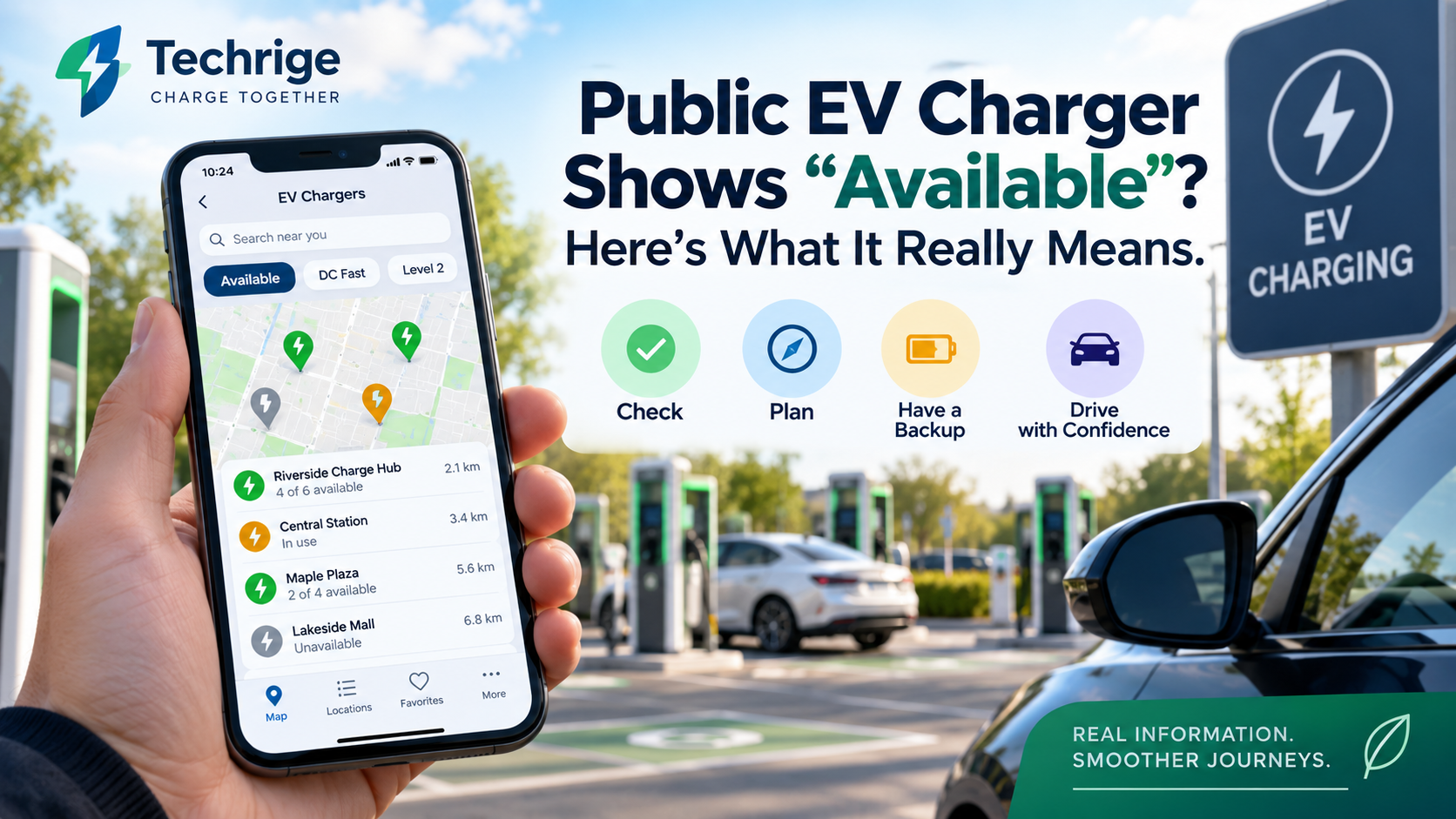
An app showing an available public EV charger can be helpful when planning a trip. However, “available” is not the same as reserved, and it does not guarantee that an open, working, compatible charging port will still be available when you arrive.
Another driver may start a charging session before you get there. A stall may become unavailable, access to the parking area may be restricted, or the connector your EV needs may already be in use.
The practical response is not to ignore charger-status information. Instead, treat it as one current signal in a short verification process—especially when the charging stop is important to completing your trip.
This guide explains why public EV charger availability can change and how U.S. EV drivers can reduce uncertainty before leaving and after arriving.
What an “available” EV charger status actually means
An availability label generally describes the status an app or listing received at a particular time. It can be a useful starting point, but it does not reserve the charging port for you.
Between checking your phone and reaching the site, another driver can plug in, a charger can change condition, or access to the property can change.
The information behind charging listings can also follow different update paths. The U.S. Department of Energy’s Alternative Fuels Data Center (AFDC) explains that its Station Locator receives network information through several methods, including daily API imports, periodic CSV imports, and manual updates for non-networked stations. As a result, data freshness can differ by network and station type.
Network-specific apps may provide a more direct view of their own charging equipment. For example, ChargePoint says its app can display real-time station status and lets drivers filter stations by availability, network, connector type, charging speed and amenities.
Similarly, the Electrify America mobile app displays real-time charger availability and connector types at its public charging locations.
These features are provider-specific. Do not assume every charging app provides the same information, level of detail or update frequency.
The useful mindset is simple:
Charger status is a snapshot, not a guarantee.
Know the terms: site, port, connector and network
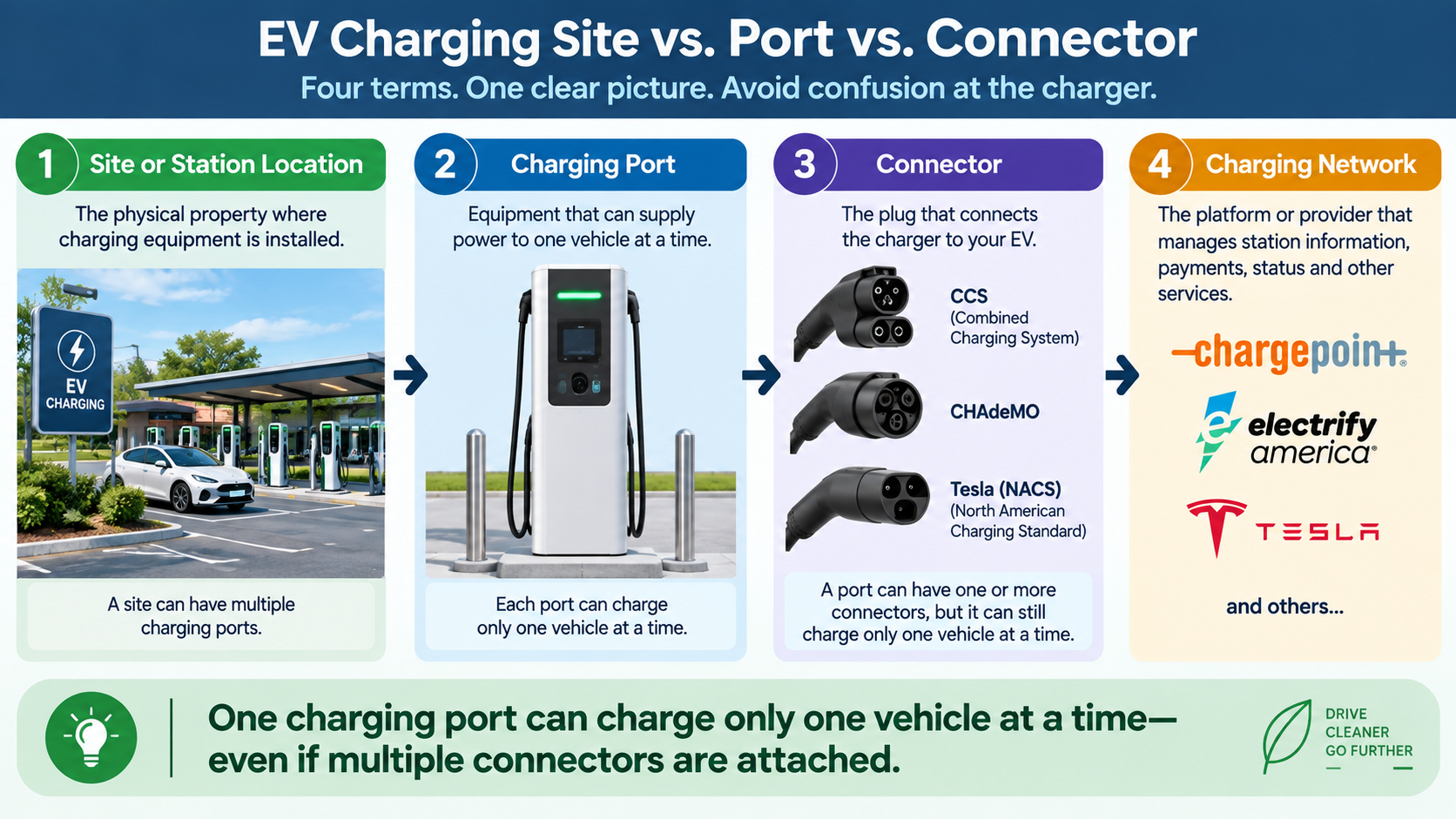
Charging terminology can make a location appear more capable than it actually is. Before deciding whether a charging stop is suitable, separate these four concepts:
- Site or station location: The physical property where charging equipment is installed.
- Charging port: Equipment capable of charging one vehicle at a time.
- Connector: The plug that connects the charger to your EV.
- Charging network: The platform or provider that manages station information, payments, status and other services.
The distinction between a port and a connector is especially important.
The AFDC explains that an EV charging port provides power to only one vehicle at a time, even when the port has multiple connectors.
For example, one charger might offer both CCS and CHAdeMO connectors while still allowing only one vehicle to charge at a time.
So, two visible plugs do not necessarily mean two vehicles can charge simultaneously.
When checking a charging site, focus on:
- The number of usable charging ports
- The connector available on each port
- The charging speed
- Current port or stall status when available
Why EV charger availability can change before you arrive
Several ordinary events can change charger availability between route planning and arrival:
- Another EV driver starts a charging session.
- A previously occupied charger becomes available.
- A charger develops a fault or is temporarily taken offline.
- The connector compatible with your vehicle becomes occupied.
- The station loses network connectivity.
- Parking access changes because of business hours, gates or garage restrictions.
- A vehicle remains parked in the charging space after charging.
- Temporary construction or property conditions block access.
None of these possibilities makes app information unhelpful.
It simply means that a trip-critical charging stop deserves a second check before departure and a backup plan.
Before-you-leave public EV charging checklist
Use this checklist whenever a public charging stop is important to your remaining range or schedule.
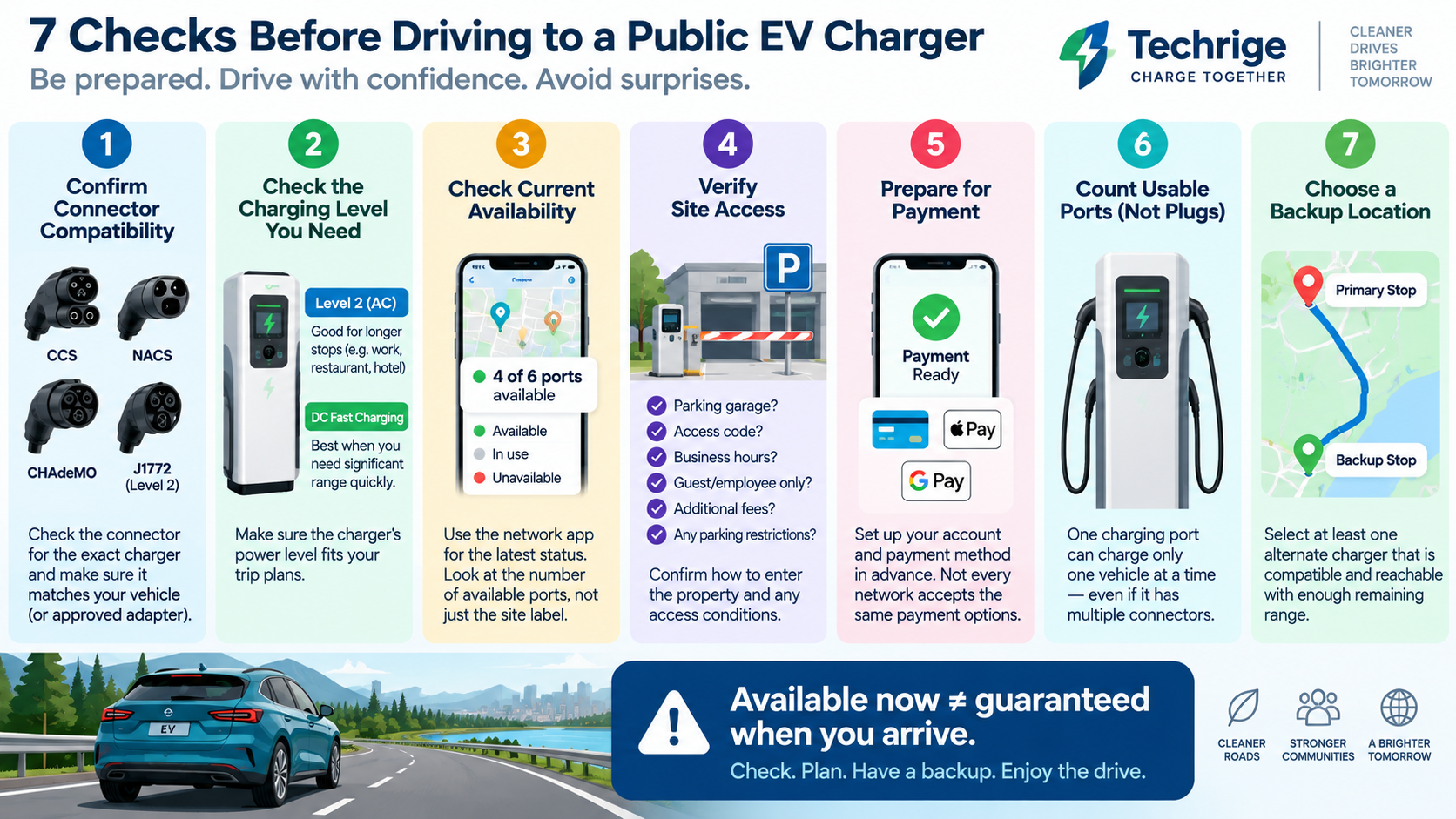
1. Confirm connector compatibility
Check the connector listed for the exact charger or stall—not only the charging site's name.
Confirm that the connector matches your vehicle’s charging inlet or an approved charging arrangement supported by your vehicle manufacturer.
For Tesla Superchargers, access for non-Tesla EVs is not universal.
Tesla explains that Supercharger access varies by vehicle and charger type. Drivers of other EV brands should add their vehicle information to the Tesla app or use Tesla’s map to identify compatible locations. See Tesla’s current Supercharging Other EVs guidance before relying on a Supercharger stop.
2. Check the charging level you need
Determine whether the location offers:
- Level 2 AC charging
- DC fast charging
Then decide whether the expected charging speed fits your trip.
A Level 2 charger may be perfectly useful during a long restaurant, hotel or workplace stop, but it may not be a practical substitute when you need to add significant driving range quickly.
If the app provides individual stall details, review them rather than assuming every port at the same location offers the same power or connector.
3. Check the current status close to departure
When possible, open the charging network’s own app and check its most recent station status.
Pay attention to the number of ports shown as available, not merely whether the overall location is marked “available.”
For example:
6 ports, 4 available provides more flexibility than 1 port, 1 available.
Neither situation reserves a charging space, but the first gives you more alternatives if availability changes.
For an important stop, consider checking the status again shortly before turning toward the station—when it is safe and legal to do so.
4. Verify site access
Check the address and how drivers actually enter the property.
Useful questions include:
- Is the charger inside a parking garage?
- Does the garage have operating hours?
- Is there a gate or access code?
- Is charging restricted to hotel guests, employees or customers?
- Is parking subject to additional fees?
- Is the station located behind a business that may be closed?
- Are there posted parking restrictions?
Treat these as planning questions rather than assumptions based only on a map pin.
5. Prepare for the payment process
Review the charging provider’s current app and session-start instructions before you need them.
If the provider supports app-based charging or payment, consider setting up your account and payment method in advance.
Do not assume every charging network uses the same payment method or that every location within a network operates identically.
6. Count usable ports, not visible plugs
Look at the number of charging ports and their connector types.
Remember:
Multiple connectors attached to one charging port do not create multiple simultaneous charging spaces.
A location with one dual-connector port may still serve only one vehicle at a time.
7. Choose an alternate charging stop before departing
Select at least one backup location that is compatible with your EV and reachable within your remaining range.
Ideally, your backup is reachable with enough battery remaining that an unavailable primary charger remains an inconvenience rather than a range problem.
Your backup does not need to be identical to your first choice.
It might be:
- A different charging network
- A lower-power charger
- A station several miles earlier or later on the route
- A larger charging site with more ports
The important part is knowing your alternative before your state of charge becomes critically low.
Arrival checklist: verify the exact charging stall
Once you reach the site, shift from digital planning to physical observation.
The charger in front of you is more important than the status displayed several minutes earlier.
Before starting the session:
- Confirm the stall is actually available.
- Check that the connector matches your vehicle.
- Look for obvious damage to the connector, cable or charging equipment.
- Review instructions displayed on the charger.
- Check for parking or access restrictions.
- Confirm the charger is not displaying an error or unavailable message.
- Follow the charging network’s instructions to begin the session.
If the charger does not work, check whether another compatible port at the same location is available.
Avoid spending too long repeatedly trying to make one questionable stall work when your remaining range is limited.
The right decision depends on your battery level, distance to the backup charger, weather, traffic, vehicle energy consumption and the information available at that moment.
A simple decision rule: wait, switch or leave
When a charging stop is important, use a conservative decision process.
WAIT
Consider waiting when:
- Your remaining range is comfortable.
- The charger appears operational.
- A charging session looks likely to finish soon.
- You still have a reachable backup.
SWITCH
Try another stall when:
- Another compatible port is available.
- Your current stall shows an error.
- The connector or charging speed does not match your needs.
- The network app indicates another port is working.
LEAVE
Consider moving to your backup location when:
- The charger appears unavailable or unreliable.
- The wait is uncertain.
- Your remaining range is decreasing your backup options.
- Access to the site is restricted.
- No compatible ports are available.
A backup station is not guaranteed to be available either. The purpose of the backup is to preserve options while you still have enough range to use them.
What common EV charger status labels mean
Status wording varies between charging providers, but these general interpretations can help:
Status labelWhat it can tell youWhat it does not tell youAvailableThe system currently reports that a port may be ready for a charging session.That it is reserved for you, compatible with your EV or still available when you arrive.In useThe port is currently reported as serving another vehicle.When that charging session will end or whether another compatible port is available.UnavailableThe system reports that the port cannot currently start a charging session.Why it is unavailable or when it will return to service.UnknownThe listing does not provide a dependable current status.Whether the charger is definitely working or definitely unavailable.Restricted accessThe station may have an access condition or limitation.Whether you personally can enter, park or charge without checking the site's current requirements.
Make charger availability part of a wider EV trip plan
The goal is not to predict every possible change at a public EV charger.
Instead, avoid treating a single “Available” indicator as the only information needed to make a charging decision.
For a routine local top-up, a quick app check may be enough.
For a long-distance trip or a charging stop required to reach your destination, verify:
- Connector compatibility
- Charging level and expected speed
- Current availability
- Site access
- Payment readiness
- Number of usable ports
- A backup charging location
Then inspect the exact charging equipment when you arrive.
This short process cannot eliminate uncertainty, but it can help EV drivers maintain a practical margin of choice when public charger availability changes before arrival.
Sources
- U.S. Department of Energy – AFDC: Electric Vehicle Charging Networks
- U.S. Department of Energy – AFDC: Electric Vehicle Charging Stations
- ChargePoint: What can I do with the ChargePoint app?
- Electrify America Mobile App
- Tesla: Supercharging Other EVs