
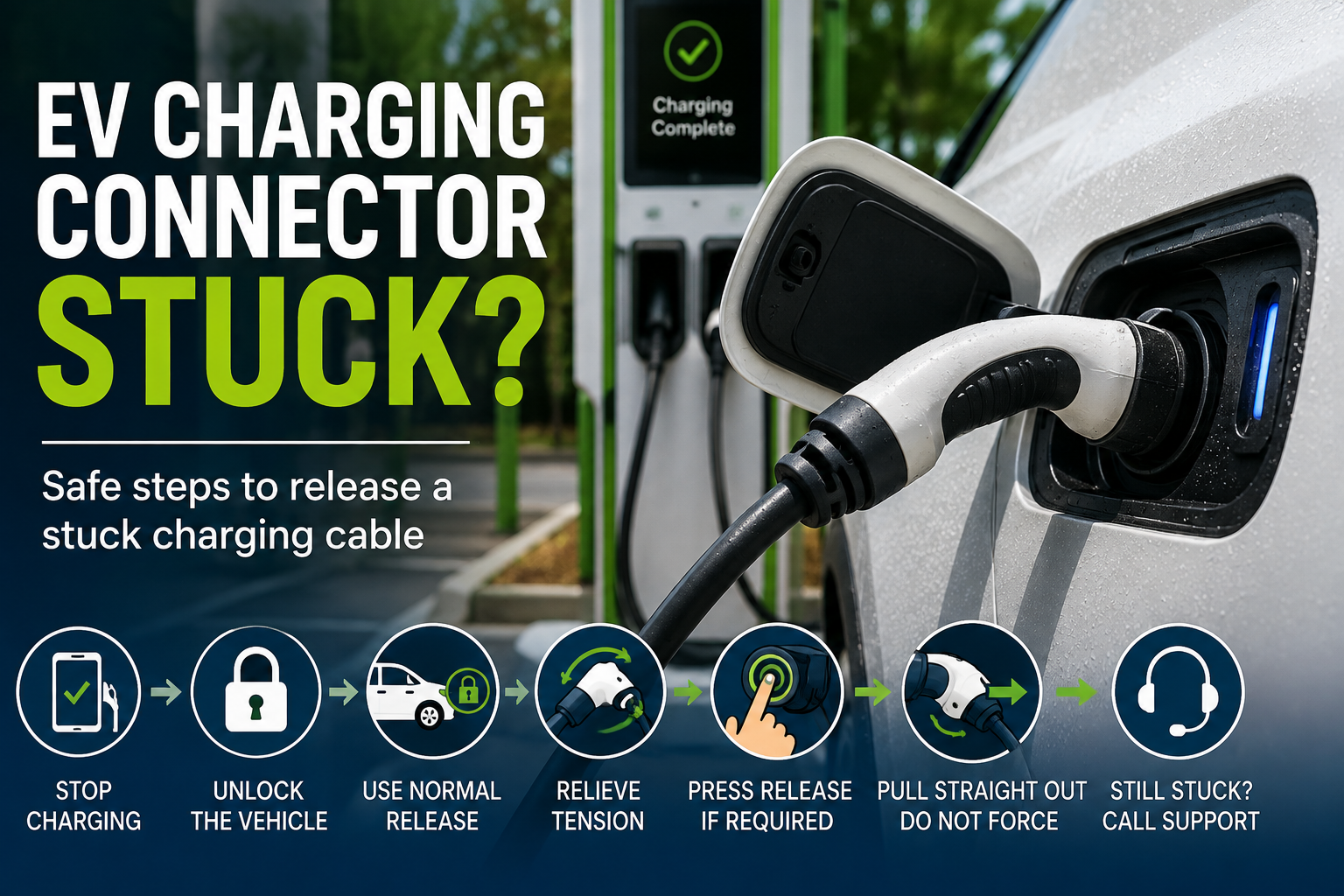
An EV charging connector that will not release can be frustrating, especially when you are ready to leave a busy public charging station.
In many cases, a stuck EV charger connector does not mean the equipment is broken. The charging session may not have fully ended, the vehicle may still be locking the charge port, tension on a heavy cable may be loading the latch, or cold weather may be preventing the locking mechanism from moving normally.
The safest response is methodical rather than forceful.
Do not pull hard on the charging cable, twist the connector, use tools, pry at the latch, bypass a lock, or take apart the charger or vehicle charge port.
Instead, stop the charging session, unlock the vehicle, use your vehicle's normal release procedure, remove tension from the cable and contact the charging network if the connector still will not come free.
This guide covers general troubleshooting for public Level 2 and DC fast charging in the United States. Your charger instructions and your vehicle manufacturer's current owner's manual should always take priority over general guidance.
Quick answer: what to do when an EV charging connector is stuck
If your EV charger will not unplug:
- Confirm that the charging session has completely stopped.
- Unlock the vehicle.
- Use your vehicle's normal unlock charge port, stop charging or connector-release control.
- Support the charging cable so its weight is not pulling against the connector.
- Press the connector's normal release button, if applicable.
- Pull the connector straight out without twisting or forcing it.
- If it remains stuck, follow the charging network's instructions or call the support number displayed on the charger.
- Use a vehicle manual-release mechanism only if your exact owner's manual specifically instructs you to do so.
Electrify America's current troubleshooting guidance follows a similar sequence: confirm the session has stopped, unlock the vehicle, remove cable tension, check the connector release button and contact support if the cable remains stuck.
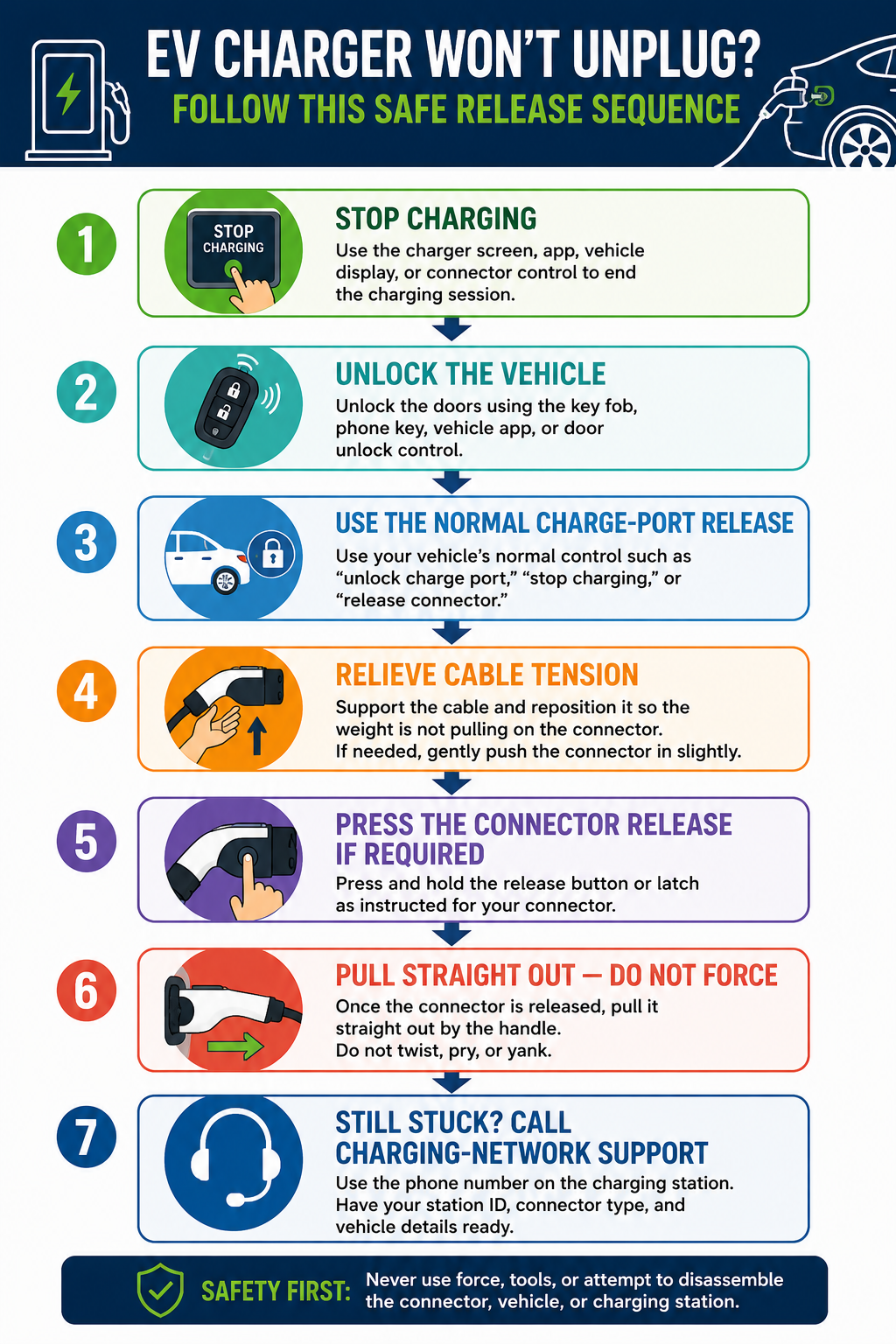
Step-by-step infographic showing how to safely release a stuck EV charging connector by stopping charging, unlocking the vehicle, relieving cable tension, using the normal release control and contacting charging-network support if necessary.
1. Check for a safety problem before troubleshooting
Before trying to release the connector, visually inspect the charging handle, cable and vehicle charge port.
Stop using the equipment and keep clear if you notice:
- Exposed wiring or electrical contacts
- A cracked or badly damaged connector
- A severely damaged or pinched cable
- Melting or scorching
- Smoke or sparks
- Unusual heat
- A strong burning smell
- Visible damage around the vehicle's charging inlet
Do not reconnect, reposition or attempt to repair equipment that appears damaged.
Use the support information displayed on the physical charging station to report the problem. If there is an immediate danger such as smoke or fire, move away from the equipment and contact emergency services.
If the equipment appears normal and the connector is simply locked in place, continue with the normal release procedure.
For other public-charging problems, see Techrige's Public EV Charger Will Not Start? troubleshooting checklist.
2. Make sure the charging session has actually stopped
A connector may remain locked even when your charging target has been reached or an app appears to show that charging is complete.
Start by deliberately ending the session using the method intended for that charger and vehicle.
Depending on the charging network and vehicle, that may mean:
- Pressing Stop on the charging-station screen
- Ending the session through the charging-network app
- Selecting Stop Charging inside the vehicle
- Using your vehicle manufacturer's charging app
- Pressing a documented stop or release control on the connector
Wait for the charger or vehicle to indicate that the session has ended before attempting to disconnect.
Do not assume that reaching a time limit, charge percentage or payment notification automatically means the physical connector latch has been released.
For example, Chevrolet's current public-charging instructions describe stopping charging through the vehicle display or app and, for applicable NACS connectors, using the connector's Request to Stop control.
3. Unlock the vehicle and use its normal charge-port release
The vehicle itself may be holding the connector in place.
Many EVs use a charge-port locking mechanism so that a cable cannot simply be removed while the vehicle is locked or charging.
Unlock the vehicle using its normal method, such as:
- The key fob
- Phone key
- Vehicle app
- Door-unlock control
Then use the normal connector-release procedure documented for your EV.
The control may be labelled something such as:
- Unlock Charge Port
- Stop Charging
- Release Connector
- Unlock Charging Cable
The exact sequence varies by manufacturer and model.
Tesla's Model 3 manual, for example, states that its charge-cable latch remains locked until the vehicle is unlocked or recognizes an authenticated key.
Chevrolet similarly tells drivers of applicable vehicles with a stuck NACS connector to make sure the vehicle doors are unlocked, press Request to Stop again and wait for the inlet's locking mechanism to retract before removing the connector.
A useful general order is:
- Stop the charging session.
- Wait for confirmation that charging has ended.
- Unlock the vehicle.
- Activate the vehicle's normal charge-port release.
- Press the connector's release control if required.
- Remove the connector straight out.
Do not repeatedly yank the connector if it does not release. Move to the cable-tension check instead.
4. Remove tension from the charging cable
DC fast-charging cables can be heavy and relatively stiff.
If the cable is pulling downward or sideways on the connector, that force can load the locking mechanism and make the handle harder to release.
With charging stopped and the vehicle unlocked:
- Support some of the cable's weight with your hand.
- Reposition the cable so it is not pulling sideways on the connector.
- If appropriate for the connector, gently push the connector fully toward the vehicle to remove pressure from the latch.
- Press the normal release button.
- Pull the connector straight out by the handle.
Do not twist the handle, sharply bend the charging cable, pull on the cable instead of the handle or use the vehicle body for leverage.
Electrify America's official instructions specifically recommend checking for cable tension when a connector is stuck. If its connector button remains depressed, Electrify America advises pushing the connector inward until the mechanism resets before pressing the button and attempting to pull the connector straight out. That procedure is specific to its equipment and should not automatically be applied to every charging network.
5. Check the connector release button only as instructed
Some charging handles have a mechanical or electronic release button that must operate before the connector can be removed.
If the button appears stuck, do not pry it upward or insert anything into the mechanism.
First check the instructions displayed on the charger.
The charging-network operator may also be able to tell you whether:
- The charging session is still active
- The station is reporting a fault
- A network-specific stop procedure is required
- The connector release button needs to be reset
- The problem is likely being caused by the vehicle's charge-port lock
This distinction matters because the connector may be held by the vehicle, charging equipment or a combination of both.
A release button that appears stuck does not necessarily mean the charging handle itself is defective.
Why an EV charging connector can stay locked
Several different systems are involved when an EV is connected to a public charger.
A stuck connector can therefore have several possible causes:
Charging session still active → the station has not completed its shutdown process.
Vehicle still locked → the charge-port latch is preventing removal.
Connector latch engaged → the handle's release mechanism has not returned to its release position.
Cable tension → the cable's weight is pressing the connector against the latch.
Cold weather → ice may interfere with the charge-port mechanism.
Vehicle or charger fault → the locking system may require support or service.
Knowing which system controls the lock is more useful than trying to overcome it with additional force.
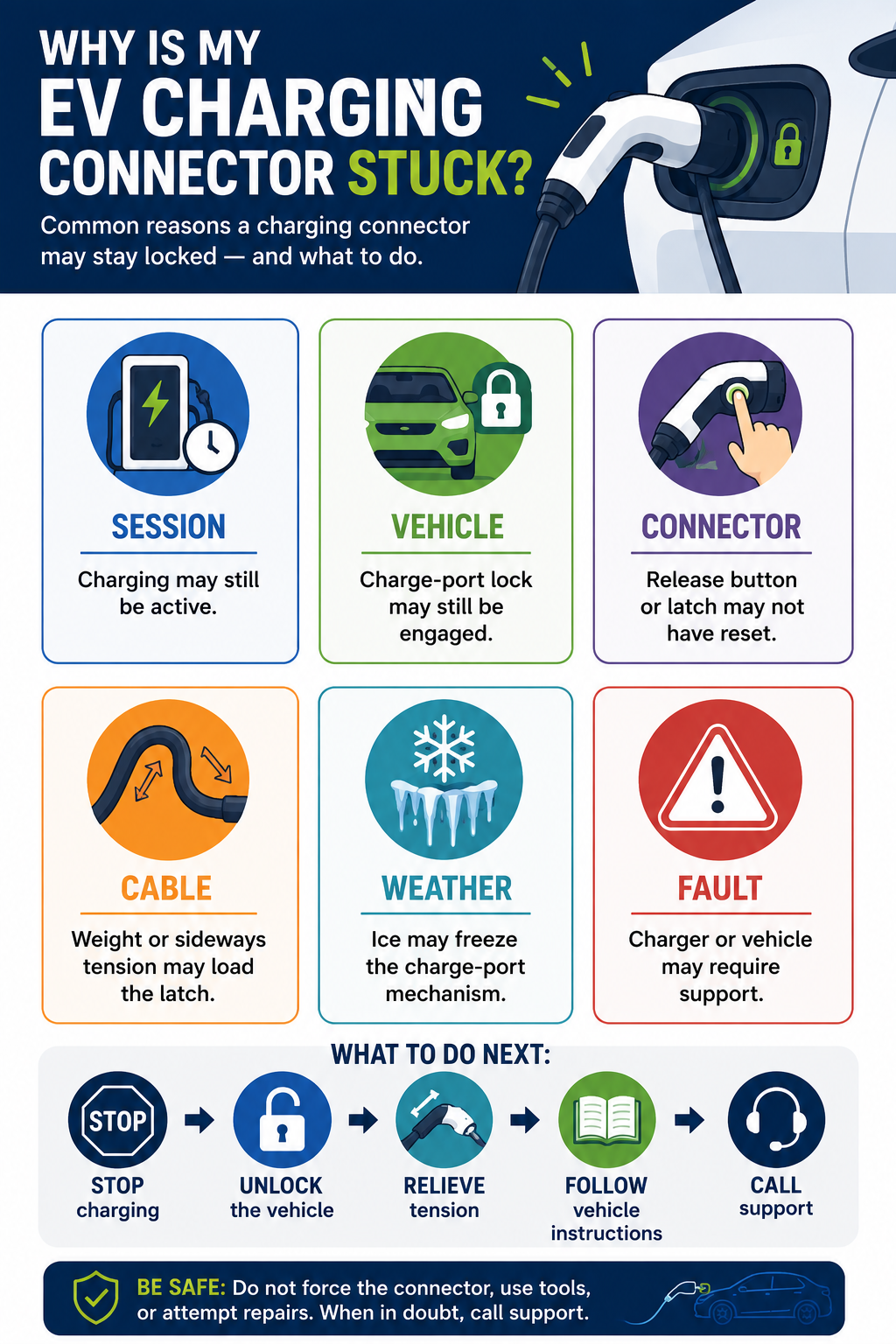
Infographic explaining common reasons an EV charging connector can remain stuck, including an active charging session, locked vehicle charge port, connector latch, cable tension, freezing conditions and equipment faults.
6. Treat an emergency or manual release as vehicle-specific
Drivers often search for an EV charging cable emergency release when a connector will not unplug.
This is where general troubleshooting should stop.
A manual charge-port release, if the vehicle has one, is specific to the vehicle's:
- Manufacturer
- Model
- Model year
- Charge-port design
- Configuration
- Current manufacturer instructions
Do not follow a video or forum procedure written for another vehicle simply because the charge ports look similar.
Do not remove trim, pull unidentified cables or open panels while searching for an emergency release.
Use a manual release only when:
- Normal release methods have failed.
- Charging has completely stopped.
- Your exact vehicle manual documents a manual-release procedure.
- You can identify the correct release mechanism.
- There is no visible damage, smoke, unusual heat or exposed high-voltage equipment.
- You can follow every manufacturer warning and instruction exactly.
Tesla's current Model 3 manual provides a good example of why this procedure must remain vehicle-specific. It instructs drivers to stop charging before using the vehicle's manual charge-port release and warns against pulling the manual release while simultaneously trying to remove the charging cable. Tesla also says the manual release should be used only when normal methods do not work.
That is Tesla Model 3 guidance, not a universal emergency-release procedure.
If you cannot confidently follow the procedure documented for your exact EV, contact the charging network and your vehicle manufacturer's roadside-assistance or service provider.
7. Account for cold weather and a frozen charge-port latch
Ice can interfere with a charge-port door, connector or locking mechanism.
A frozen charging connector is not a reason to pull harder.
Instead, follow the cold-weather instructions published for your vehicle.
Tesla, for example, documents that the Model 3 charge-port latch can freeze in extremely cold or icy conditions and provides vehicle-specific warming functions, including Defrost Car and, on applicable vehicles, an inlet heater.
Other EVs may use completely different procedures or may not provide the same features.
Do not assume that a Tesla procedure applies to another manufacturer's vehicle.
If cold weather may be causing the problem, consult your vehicle manual before attempting another release.
You can also read Techrige's guide to charging an EV in cold weather, including frozen charge ports.
8. Be especially careful when an adapter is involved
If you are using an EV charging adapter, there may be more than one locking connection involved.
The vehicle may lock the adapter while the charging handle may also attach to the adapter using its own mechanism.
Do not force either connection apart.
Follow the exact disconnection order specified by your vehicle and adapter manufacturer.
The U.S. Department of Energy's Alternative Fuels Data Center currently identifies CCS, CHAdeMO and SAE J3400 among the connector systems used for public DC fast charging in the United States. Compatibility depends on the vehicle and charging equipment.
If you are unsure whether an adapter is appropriate for a particular charger, see Techrige's EV charging adapter compatibility and safety checklist.
Never attempt to separate, rotate or adjust an adapter by force while the charging system is still active.
9. Call the charging network while you are still at the station
If the normal stop, unlock, connector-release and cable-tension steps do not work, call the charging network.
Use the support number printed on the physical charging station or the contact method shown in the provider's official app.
Using the information on the station is preferable to relying on an old saved phone number because support channels can change.
Have the following information ready:
- Charging-network name
- Station location
- Charger or stall number
- Connector type
- Vehicle make and model
- Model year
- Adapter used, if any
- Whether the charging session shows as stopped
- Any charger error message
- Any warning displayed by the vehicle
- Whether the doors and charge port have been unlocked
- Troubleshooting steps already attempted
- Any visible damage or unusual condition
The charging-network operator may be able to confirm the session state, provide equipment-specific instructions or determine that the charger needs additional attention.
If the connector remains locked after charging-network support has exhausted the station-specific steps, contact your vehicle manufacturer's roadside-assistance or service channel.
A locking problem that occurs repeatedly at different compatible chargers may warrant inspection of the vehicle's charging system.
10. Prepare before your next public charging stop
You cannot prevent every stuck charging connector, but a few habits can make the situation easier to handle.
Before depending on an unfamiliar public charger:
- Know how your vehicle normally releases a charging connector.
- Know where the Stop Charging or Unlock Charge Port control is located.
- Review any manufacturer-specific manual-release instructions before you need them.
- Inspect connectors and cables before beginning a session.
- Avoid positioning the cable where unnecessary tension is placed on the charge port.
- Keep manufacturer-supported adapters stored correctly.
- Review cold-weather instructions before charging in freezing conditions.
- Know how to identify the charger or stall number if support is needed.
It is also useful to confirm the exact charging location, connector and access method before departure. Techrige's guide on how to read a public EV charger listing explains what to check before relying on a charging stop.
Quick checklist: EV charging connector won't release
When a charging cable is stuck in your EV:
- Stop the charging session completely.
- Check that the equipment appears safe.
- Unlock the vehicle.
- Use the vehicle's normal charge-port release.
- Support the cable to remove tension.
- Use the connector release button only as intended.
- Pull the connector straight out without excessive force.
- Do not twist, pry or use tools.
- Do not improvise a manual release.
- Follow vehicle-specific instructions in freezing conditions.
- Call the charging-network support number if normal steps fail.
- Contact your vehicle manufacturer if the problem continues.
Frequently asked questions
Why is my EV charger stuck in the car?
The vehicle may still be locking the charge port, the charging session may not have completely ended, cable tension may be loading the connector latch, the connector release mechanism may not have reset, or cold weather may have frozen part of the charge-port mechanism.
Start by stopping charging and unlocking the vehicle before checking anything else.
Should I pull harder if the EV charging cable will not release?
No.
A connector that does not release through its normal procedure should not be removed with excessive force, tools or leverage. Stop the charging session, unlock the vehicle, remove tension from the cable and follow the documented vehicle and charger instructions.
Does unlocking the car release the charging cable?
On some vehicles, unlocking the vehicle is part of the normal connector-release procedure. On others, you may also need to press a charge-port unlock control, stop the charging session or operate the connector's release button.
Follow the owner's manual for your exact EV rather than assuming that every vehicle operates the same way.
Can I use the emergency release if my charging cable is stuck?
Only if your exact vehicle manufacturer's instructions tell you how and when to use it.
Manual-release systems are vehicle-specific and may include important electrical-safety warnings. They should generally be considered a later step after normal release procedures have failed.
What if the charging connector is frozen?
Do not force it.
Use the cold-weather or charge-port thawing procedure documented for your vehicle. If you are unable to release it safely, contact the charging network or your vehicle manufacturer's assistance service.
Final takeaway
An EV charging connector that will not release is usually a problem to solve through the charging and locking sequence—not through force.
Start by making sure charging has stopped. Unlock the vehicle, use its normal charge-port release, remove tension from the cable and pull the connector straight out only when the latch has released.
If those steps do not work, use the support number on the charging station.
Manual releases, frozen charge-port procedures and adapter-disconnection sequences are vehicle-specific. Follow your manufacturer's current instructions rather than improvising.
The goal is simple: release the charging connector without damaging the vehicle, charger, adapter or cable—and know when to stop troubleshooting and call for help.
Sources
- U.S. Department of Energy — Alternative Fuels Data Center: Electric Vehicle Charging Stations
- Electrify America — Frequently Asked Questions
- Chevrolet — EV Public Charging Quick Start Guide
- Tesla Model 3 Owner's Manual — Charging Instructions
- Tesla Model 3 Owner's Manual — Cold Weather Best Practices